New feature · Custom Teams
Custom Teams: purchase approvals with regular Shopify customer accounts
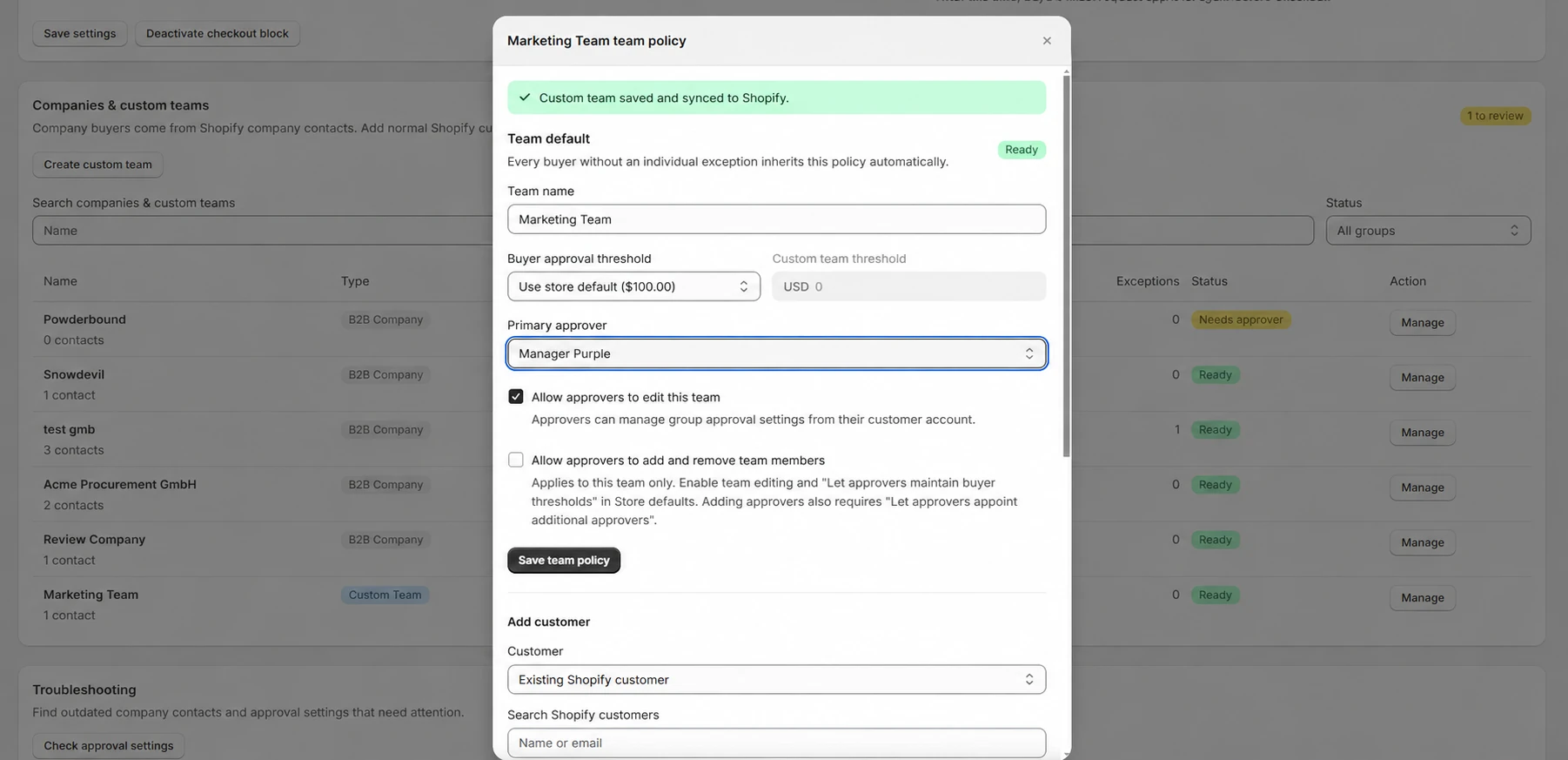
Shopify purchase approvals can now work with regular customer accounts. Create a custom team in ApproveCart, assign buyers and approvers, and set the thresholds that determine when a cart needs review.
Bring approval to the customers who buy together
Custom Teams gives stores a way to organize purchasing without creating Shopify B2B companies. Add existing Shopify customers, or create customer records as you add members. Team members sign in through Shopify's new customer accounts and shop from the regular store catalog.
A team ordering office supplies, a school purchasing group, or a customer organization can share an approval policy while individual buyers keep their own thresholds.
- Assign buyers and approvers. Choose a primary approver and set a different assigned approver for a buyer when needed.
- Set team and buyer thresholds. Use the store default, add a team policy, and make individual buyer exceptions.
- Review the cart before checkout. The buyer and assigned approver can refine a pending request. Approval protects the final saved version.
Choose the accounts that fit your store
Enable Custom Teams, Shopify B2B Companies, or both. Both Starter and Growth include merchant-managed custom teams. Growth adds approver self-management; the merchant can also allow a team's approvers to add and remove members.
Custom Teams uses the shop currency and regular catalog. B2B company catalogs, pricing, locations, and payment terms remain part of your Shopify B2B setup.
Set up your first custom team
Choose your supported accounts, create a team, add a buyer and an approver, and set the team policy. The documentation covers the complete setup, permissions, and current limits.